
Finally Understand How
GTM Actually Works.
See how your tags, triggers, and variables connect — visually. No more guessing.
Raw GTM settings are hard to reason about. The workspace should not be.
Taviqo replaces disconnected GTM lists with a visual workspace and a guided starting layer for common tracking jobs.
What GTM feels like today
Fragmented trigger, tag, and variable lists
Difficult handoff between marketers and developers
Logic buried across settings views
Low visual clarity when reviewing firing paths
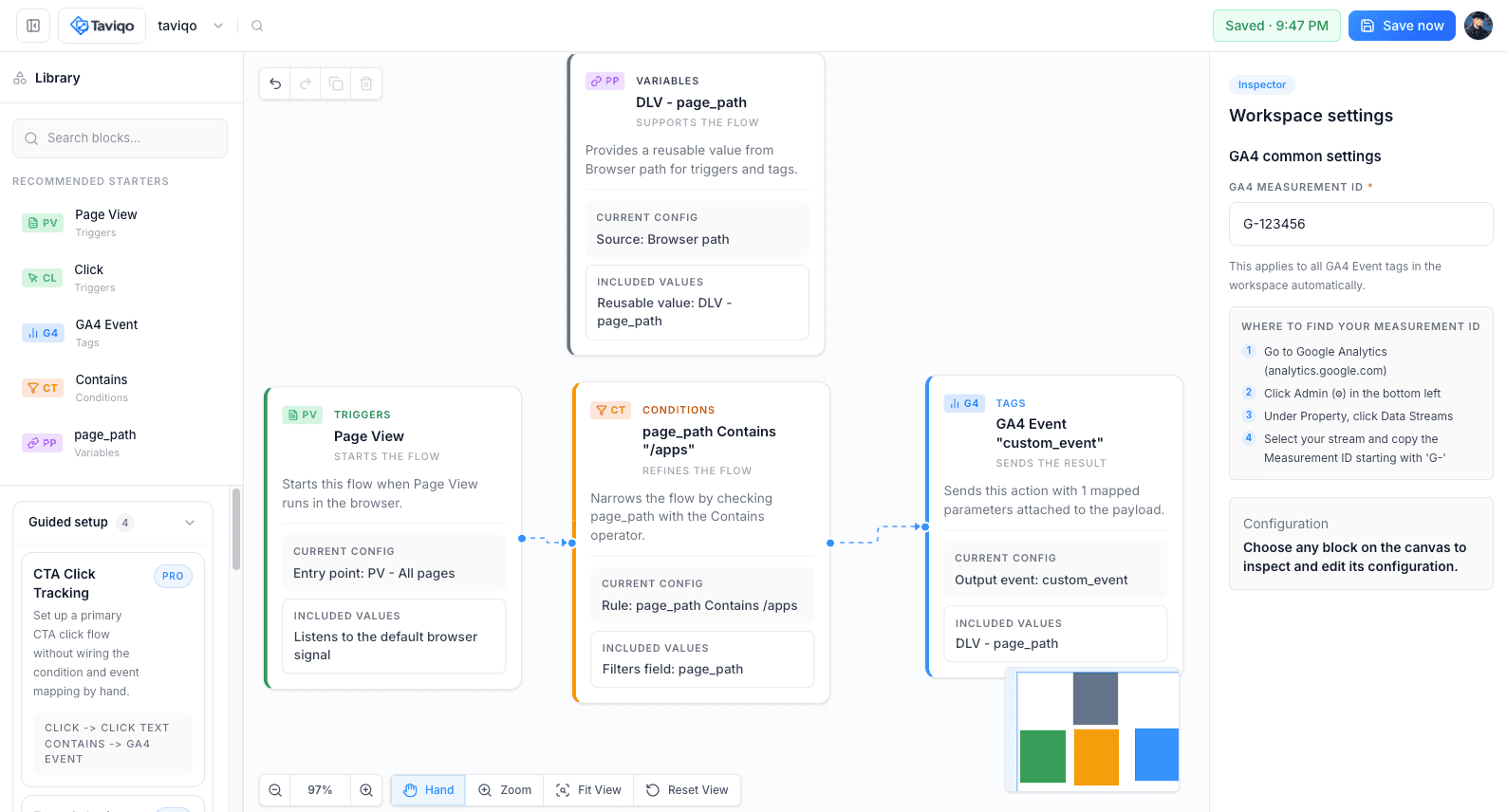
What Taviqo changes
One visual workspace for the whole GTM flow
Readable event-to-condition-to-action structure
Question-based setup for common tracking jobs
Faster team understanding without learning GTM the hard way
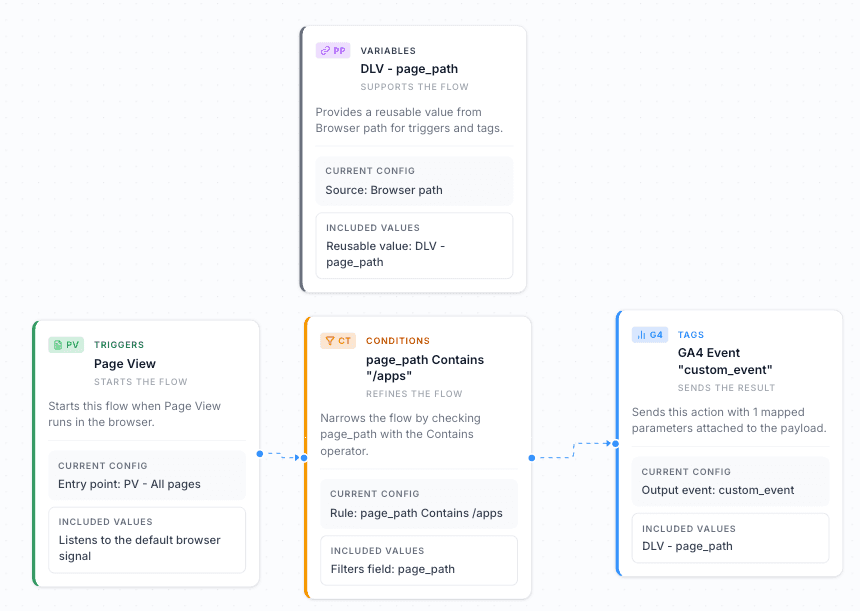
Understand GTM structure before you change it
See how events, conditions, actions, and variables relate at a glance instead of jumping across disconnected GTM settings.
Triggers become readable starting points instead of isolated rows
Conditions make firing logic explicit before anything ships
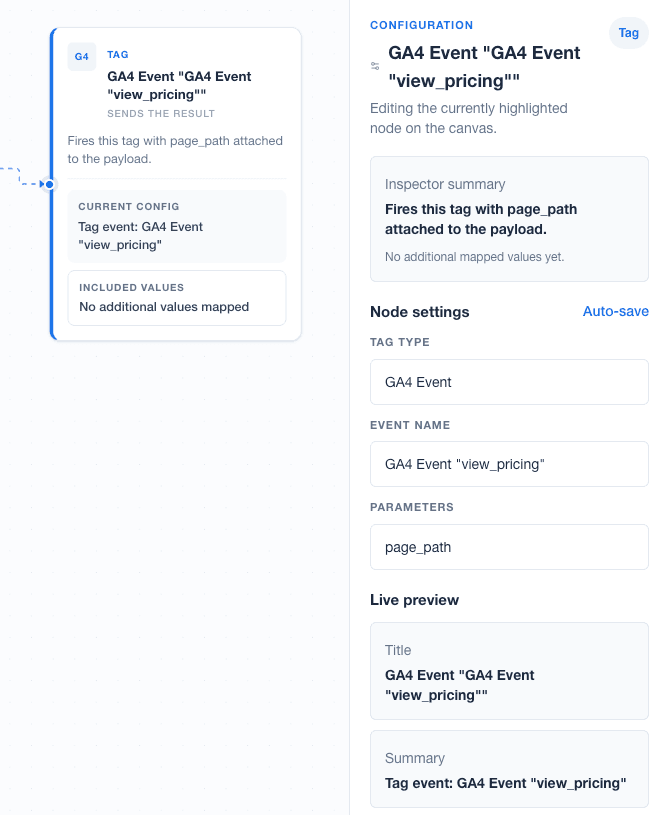
Tags show what gets sent and where it ends up
Variables stay reusable and traceable across the workspace
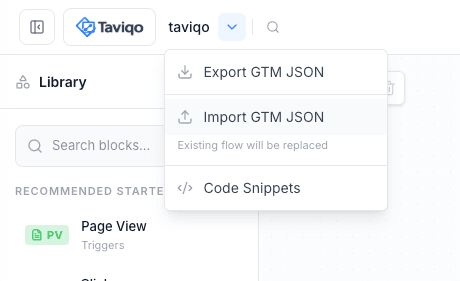
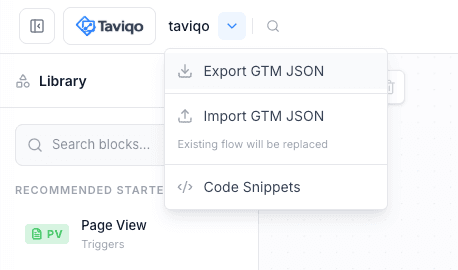
Import existing GTM containers. Export back cleanly.
Bring in real GTM JSON, preserve advanced metadata safely, and export a container-compatible structure when you're ready.
Import GTM JSON
Start from a real container file and keep your existing GTM work in motion.
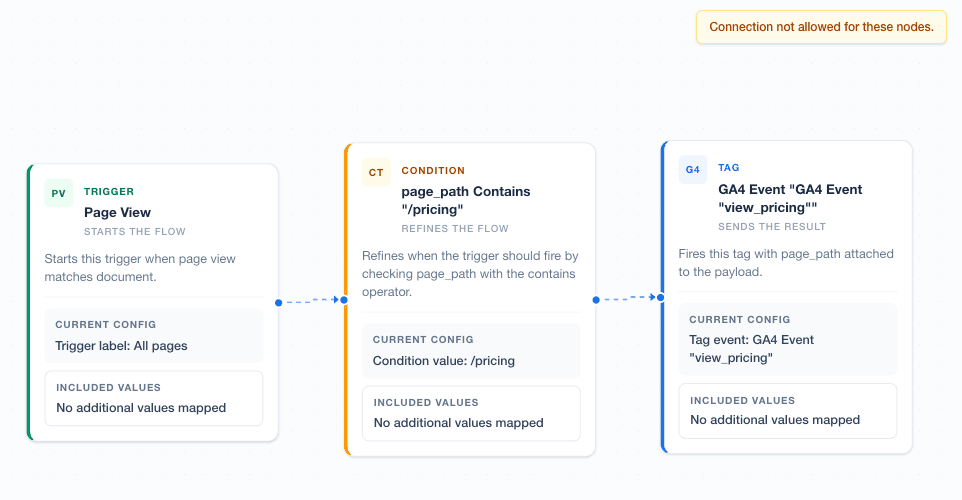
Review visually
Check warnings, read the mapped flow, and understand structure without list-hopping.
Export with preserved structure
Return to a GTM-friendly JSON workflow after reviewing and refining the workspace.
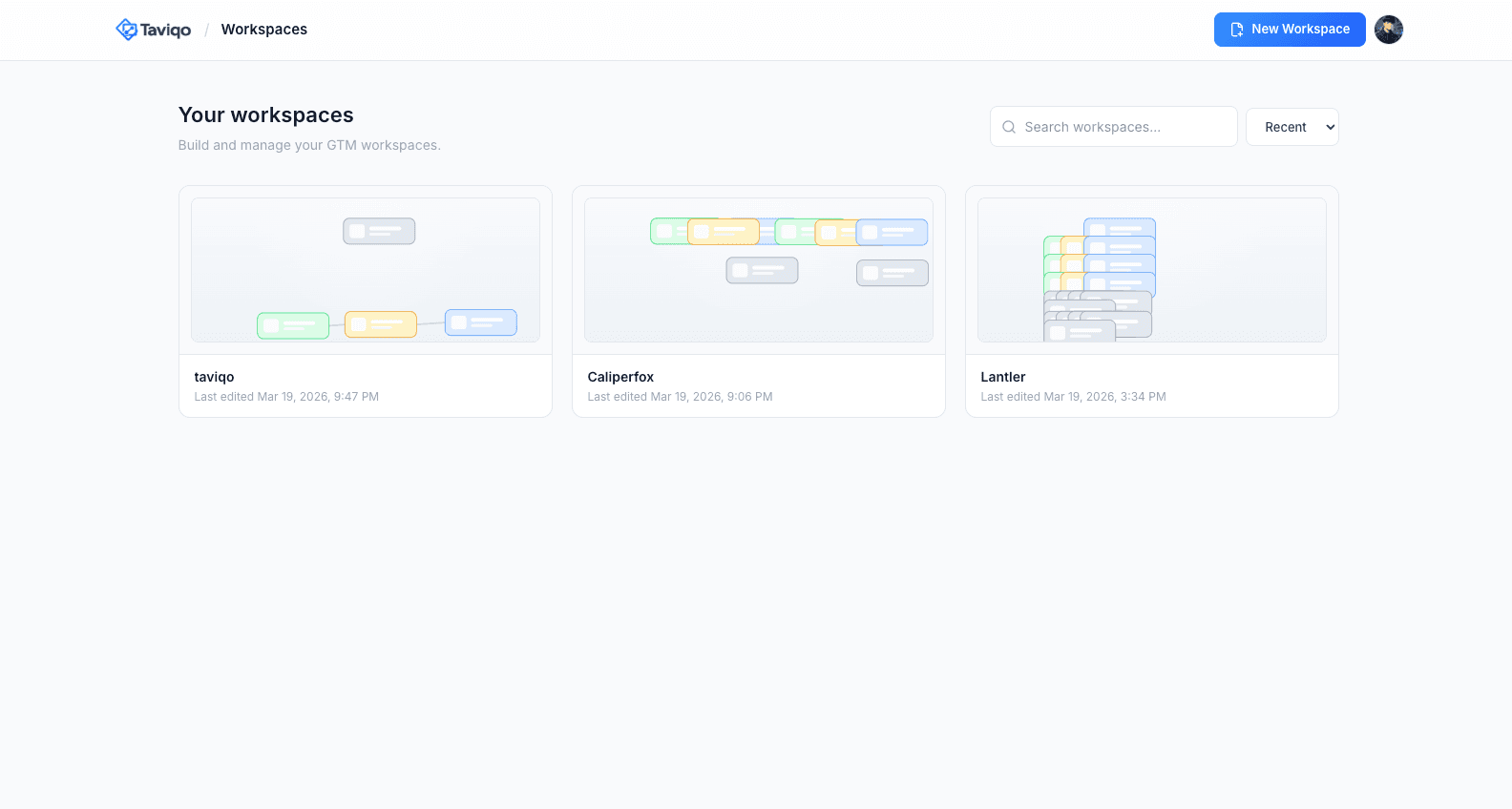
Manage every GTM workspace in one place
Create, preview, duplicate, and organize workspaces with a file-browser experience built for repeatable GTM operations.
A clear workflow from GTM file to visual review
A concise operating path keeps teams aligned from import to export.
Import
Connect your GTM containers or import JSON exports
Visualize
See your entire tag structure in a visual workspace
Review
Audit changes with visual diffs before publishing
Export
Push validated changes back to GTM with confidence
Built for daily GTM work, not just demos
Structured capabilities that support repeated review, editing, and handoff.
Auto layout after import
Imported GTM structures are arranged into readable flows instead of raw lists.
Zoom, pan, and fit view
Navigate large workspaces with controls designed for real review sessions.
Workspace autosave
Changes stay in progress safely while your team reviews and refines.
Goal-first setup language
Start from the tracking job you need done instead of memorizing GTM jargon first.
Guided setup for common flows
Move from CTA clicks, form submits, pricing views, and signup flows into editable starters faster.
File-based today, API-ready later
Start with GTM JSON workflows now and keep room for a larger platform architecture.
Built for clarity, with room to scale
Taviqo is positioned as a serious operating surface for GTM work, with a calm foundation that can grow into versioning, collaboration, and backend-connected workflows.
Workspace-based architecture for organized GTM review
Import/export-safe workflow that respects existing containers
Versioning-ready structure for future review history and branching
Questions teams usually ask before changing GTM workflow
Concise answers for import, export, multi-workspace management, and team fit.
Make GTM easier to read, safer to manage, and faster to hand off.
Start with your current GTM container and see it as a workspace.